NPM Package
You can use our cli tool to search, discover, install and create layouts with ease.
Install open-layouts npm package
Run the following command to install the open-layouts npm package and execute it:
npx open-layout
The npx command will promt you to download open-layout in case its the first time and then it will run it.
Once you run it, you will see diferent options:
-
Explore Layoutswhere you will be able to find the latest most popular layouts -
Search Layoutsto search for a specific layout, or discover new ones -
Create Layoutto create a new layout from scratch, its focused for nodejs projects but will work for any project -
Show Helpto show the help menu with the different launch parameters -
Open Websiteto open the open-layout website -
Open Repositoryto open the open-layout repository
Lets explore
To navigate through the different options, you can use the arrow keys and press enter to select the option.
Lets click the first option Explore Layouts and see what happens.
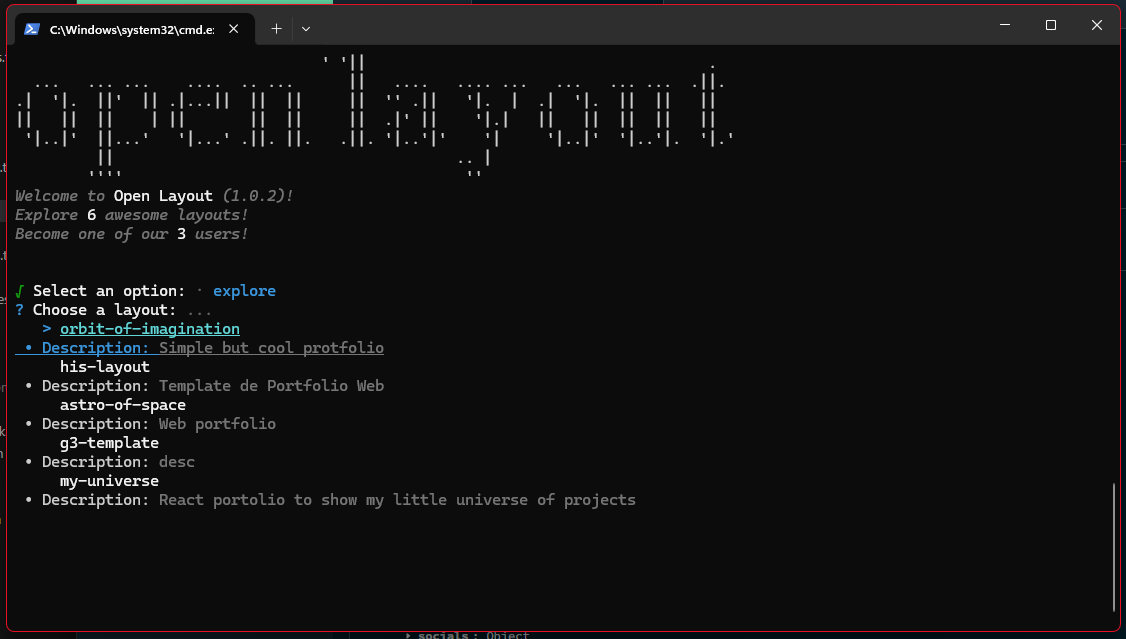
Some results will appear, you can navigate through them and press enter to see the details of the layout.
Press next for more information below